
Skip and Error Logic for Emails
Skip and Error Logic for Emails
Skipped logic
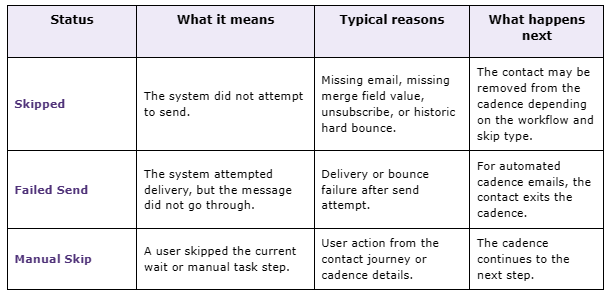
A send or step is marked as Skipped when the system never attempts the send because the contact isn't eligible at that moment.
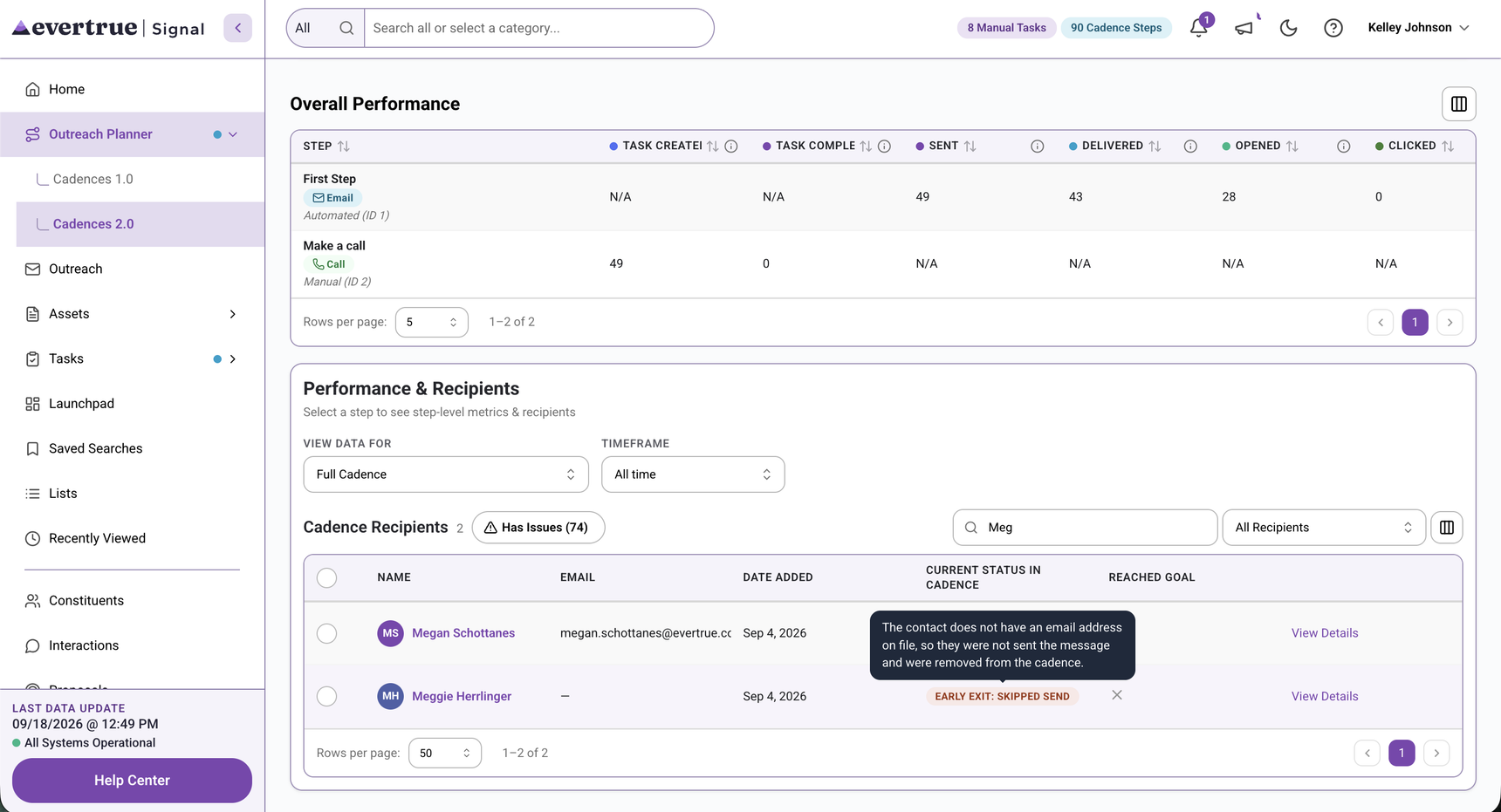
The contact lacks a required email address.
A required merge field is missing.
The contact is unsubscribed from outreach.
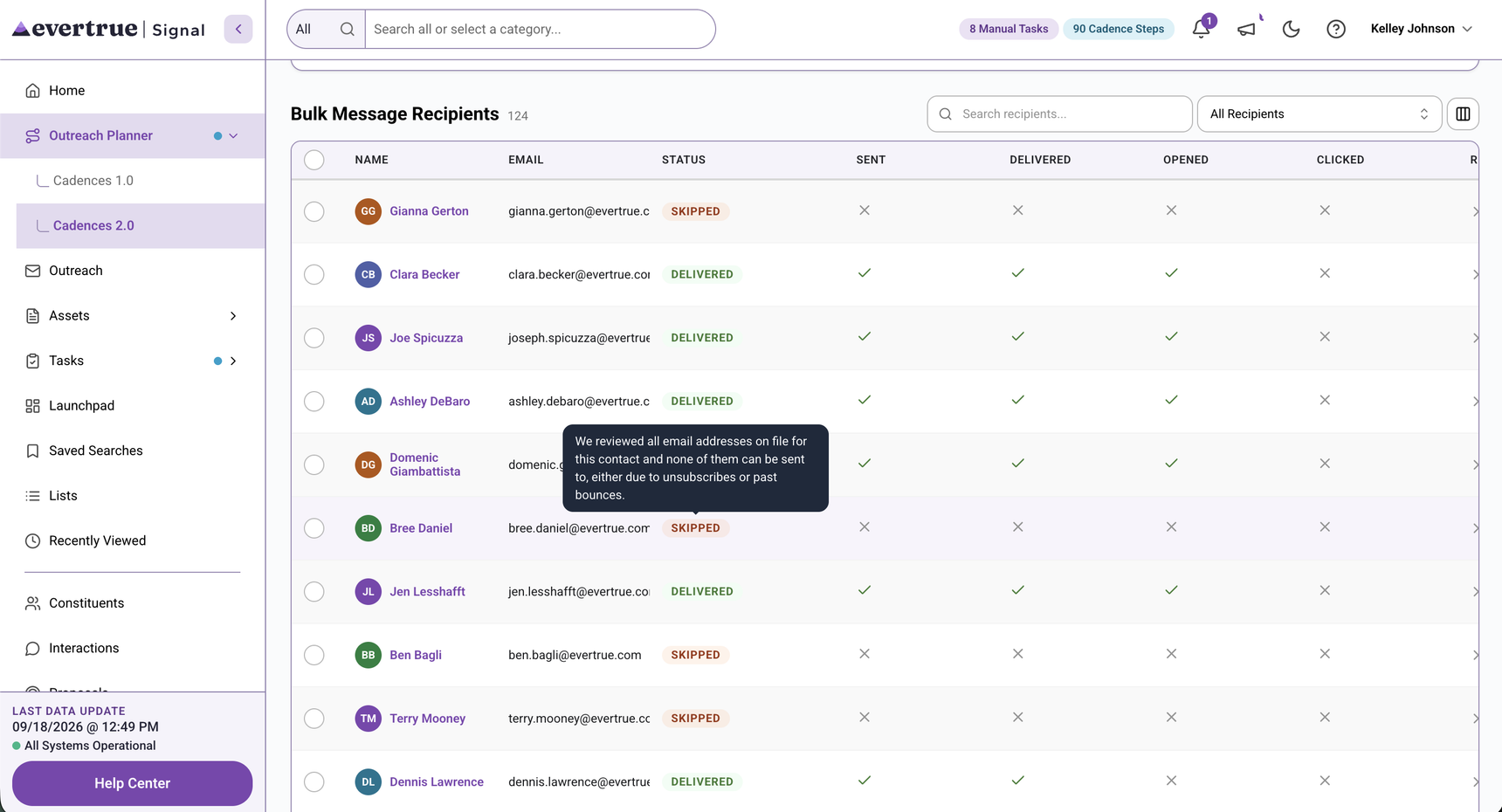
The email address has a history that disqualifies the send, such as a historic hard bounce.
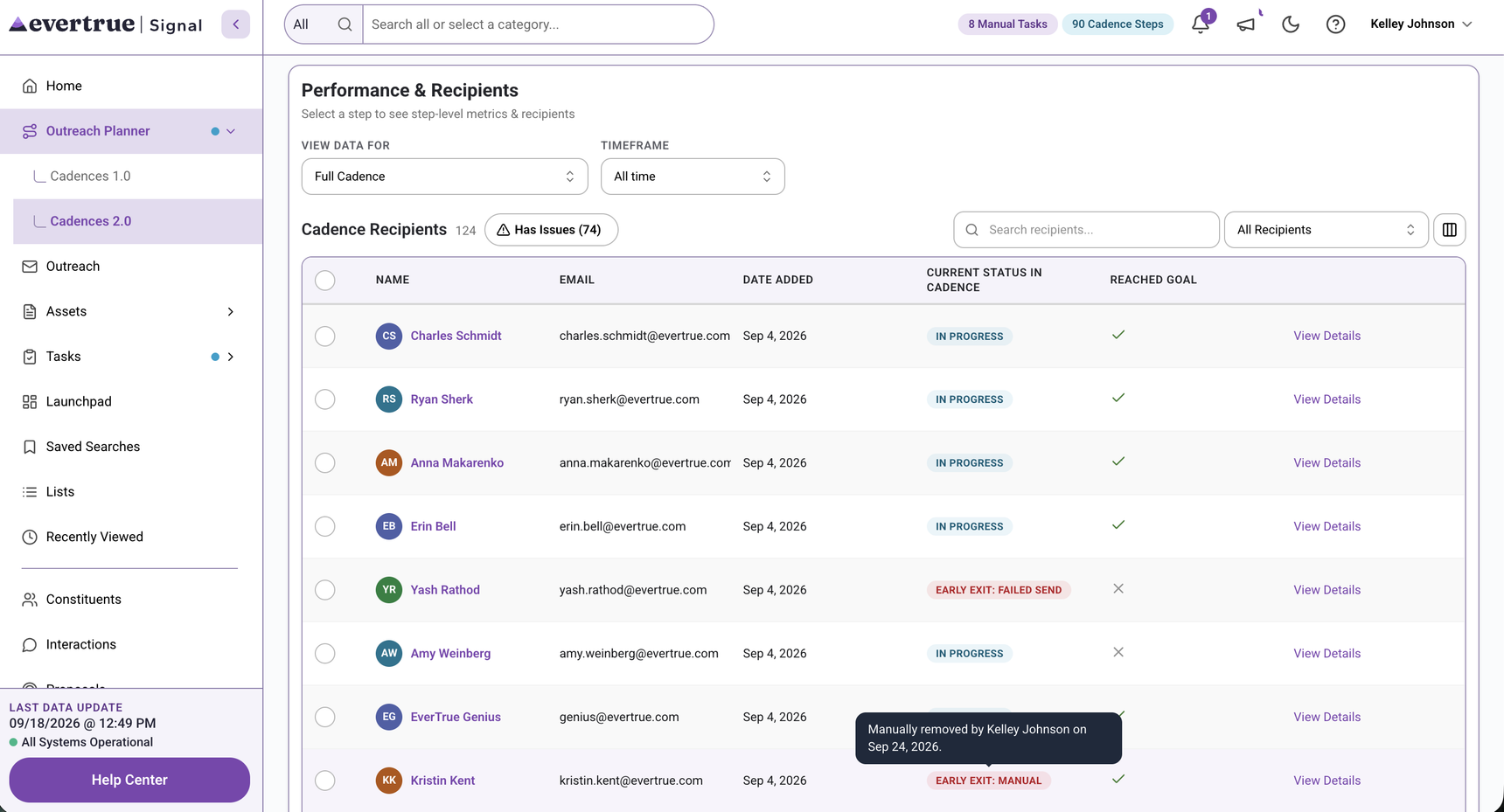
Important: An automatic skip is not the same as a manual skip. Automatic skips typically remove the contact from the cadence. A manual skip only skips the current wait or manual task step and then moves the contact forward.
Failed-send logic
A message is marked as Failed Send when the system attempts delivery, but the message is rejected or cannot be delivered.
The send was attempted.
The message did not successfully reach the recipient's inbox.
For automated multi-step cadence emails, the contact exits the cadence after a failed send.
Cadence Detail of Recipients - No Email, Skipped
Cadence Detail of Recipients - Manually Removed
Bulk Message Detail of Recipients - Skipped
Quick FAQ
Does skipped mean the system tried to send?
No. Skipped means the system held the send back before attempting delivery.
Does a failed send mean the contact was unsubscribed?
Not necessarily. A failed send means delivery was attempted and did not succeed.
Can users see why a contact was skipped or failed?
Yes. The app can show the reason on the cadence detail page and on the contact profile page.
Reply
Content aside
- 4 mths agoLast active
- 53Views
-
1
Following