
-
Cadences vs. Cadences 2.0: What’s the Difference?
This article is for users who want to understand what is new in Cadences 2.0, how the newer tools differ from the original Cadences (now known as Cadences 1.0), and where to start in the product.…
-
Assets: Set up Email and Signature Templates
Set Up Email and Signature Templates in Assets Why use Assets Assets gives users a single place for email templates and signatures, instead of having to hunt for templates in the email composer.…
-
Review Bulk Message Performance and Recipient Status
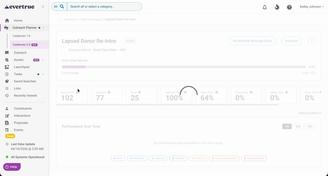
Review Bulk Message Performance and Recipient Status What this article covers Goal performance and progress against the selected metric Sends, deliveries, opens, clicks, replies, skips, errors,…
-
Cadences 2.0 Guide
Cadences 2.0 Guide This guide combines the key articles for Cadences 2.0. Use the contents below to jump to the section you need. 1. Cadences 2.0: what's new Cadences 2.…
-
Skip and Error Logic for Emails
Skip and Error Logic for Emails Skipped logic A send or step is marked as Skipped when the system never attempts the send because the contact is not eligible for it at that moment.…
-
DNS Setup for Cadences 2.0
Domain Name System (DNS) Setup for Cadences 2.0 Before your organization can send automated emails or bulk messages through Cadence 2.0, an organization owner must configure and verify a sending…
-
Create and Publish a Cadence
Create and Publish a Cadence When to use a cadence Use a cadence when you need more than one outreach step, such as an email followed by a waiting period, a response check,…
-
Create and Send a Bulk Message
Create and Send a Bulk Message Use a bulk message when you want to send one email to many recipients at one time, and the content is mostly the same for everyone, with only light personalization,…
-
Signal Outreach FAQs
Note: In-app outreach is a feature of Signal by EverTrue. If you have questions about Signal, please reach out to your Customer Success Manager (CSM). Signal Email What is Signal Email?…
-
Managing Signal Email Threads
Note: In-app outreach is a feature of Signal by EverTrue. If you have questions about Signal, please reach out to your Customer Success Manager (CSM). Signal makes it easy to manage your email…
-
Scheduling Emails in Signal
Note: In-app outreach is a feature of Signal by EverTrue. If you have questions about Signal, please reach out to your Customer Success Manager (CSM). With Signal Email,…
-
Using Signal Email Drafts
Note: In-app outreach is a feature of Signal by EverTrue. If you have questions about Signal, please reach out to your Customer Success Manager (CSM). Signal Email makes it easy to draft emails in…
-
Navigating the Outreach Tab
Note: In-app outreach is a feature of Signal by EverTrue. If you have questions about Signal, please reach out to your Customer Success Manager (CSM). The Outreach tab is your home for managing all…
-
Using Signal Email Templates and Signatures
Note: In-app Email is a feature of Signal by EverTrue. If you have questions about Signal, please reach out to your Customer Success Manager (CSM). Signal Email lets you create and save email…
-
All About: Signal Email
Note: In-app Email is a feature of Signal by EverTrue. If you have questions about Signal, please reach out to your Customer Success Manager (CSM). What is Signal Email?…
-
Running a Cadence
Note: Cadences is a feature of Signal by EverTrue. If you have questions about Signal, please reach out to your Customer Success Manager (CSM). After adding constituents to your cadences,…
-
Using EverTrue's AI-Generated Emails
Note: This feature is only enabled by default if you have already opted into EverTrue AI Profile Summaries. If your organization is interested in activating this feature for your team,…