
Signal Product Updates: November 2025

11/19/25: Tracking Android Calls in Signal
Keeping track of your Signal outreach just got even easier! Calls made through the EverTrue Android app are now tracked in the Signal platform, giving you a more complete view of your phone outreach activity. These calls will count towards your Signal Activity dashboard and will be logged on the Outreach > Your Phone Calls page.
For Android calls to be tracked:
- Your organization must have Signal Phone enabled.
- You need to verify your Custom Caller ID Number in your Setting's Outreach tab.
When these conditions are met, you will see a "Call [Constituent Name] (via Signal)" message when you make a phone call in the Android app.

To learn more about how to maximize this dashboard, check out our article on Using Your Signal Activity Dashboard. If you have any questions about Clarity or Signal by EverTrue, please reach out to your Customer Success Manager (CSM) or email genius@evertrue.com.
11/18/25: Filtering Your Email Outreach
Reviewing your email outreach just got easier with new filters now available across the Outreach > Your Emails pages! Here are the filters you will find on each page:
- Drafts: Created Date, Recipient Email, Recipient Name
- Scheduled: Scheduled Date, Recipient Email, Recipient Name
- Sent: Date You Sent, Date You Received Reply, Reply Status, Recipient Email, Recipient Name
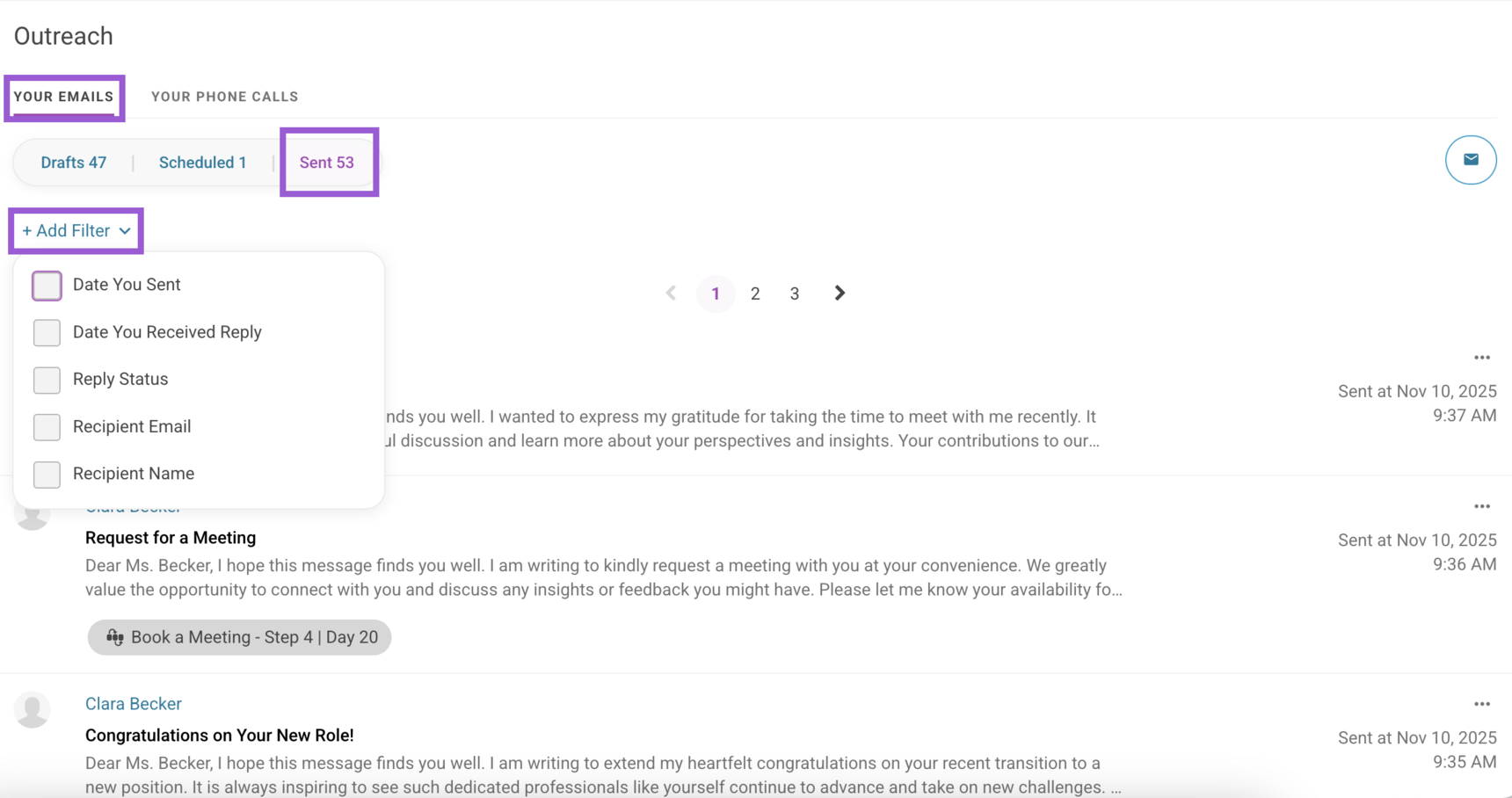
Now, if you want to follow on emails sent u this week that haven't been answered, you can head to the Sent page and click + Add Filter. Then, select the Date You Sent filter to choose a date or date range, and add the Reply Status filter to quickly narrow down messages without a reply!
To learn more about our Outreach features, take a look at our dedicated help articles! If you have questions, reach out to your Customer Success Manager (CSM) or email us at genius@evertrue.com.
For any other questions, reach out to EverTrue Support at genius@evertrue.com.
Reply
Content aside
- 10 mths agoLast active
- 57Views
-
1
Following