
Mobile: Using the Constituent Proposals Tab on Your Signal App
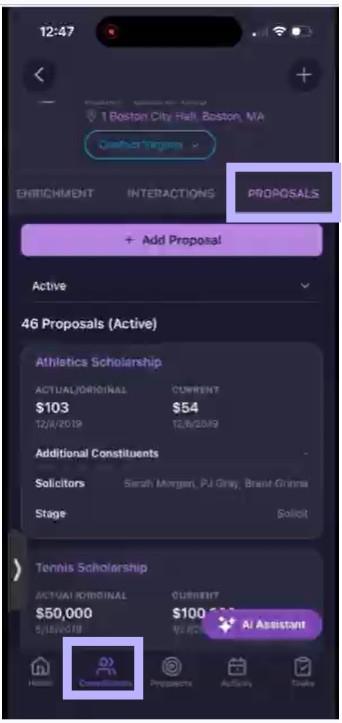
The Proposals tab is a section of the constituent profile for viewing and managing giving proposals.
Watch this video for a tour.
https://www.loom.com/share/8a07344e0f134676833ecd940009f4b9
Viewing Existing Proposals
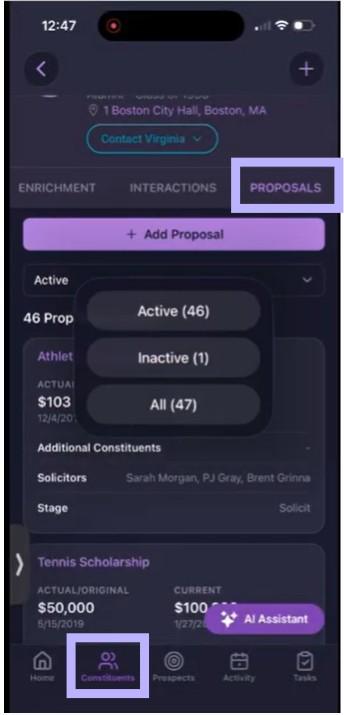
Tap + Add Proposal to create a new one (see field list below). Use the status dropdown (defaults to Active) to switch between Active, Inactive, and All — each option shows a live count (for example, Active (46), Inactive (1), All (47)).
Each proposal in the list shows:
Title
Actual/Original and Current
Additional Constituents
Solicitors
Stage
Proposal Detail View
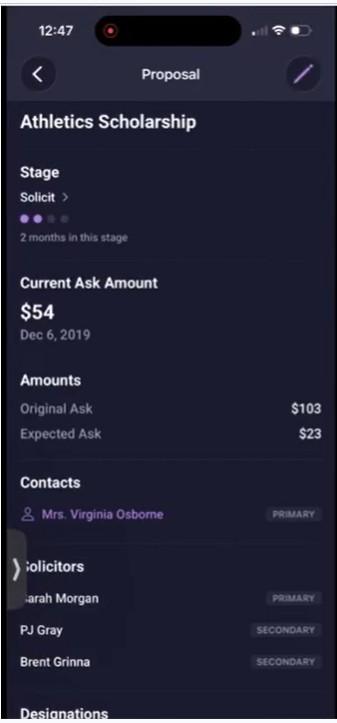
Tap a proposal to open its detail view. Tap the pencil icon in the header to edit it (see field list below).
Stage: Shown with a progress-dot indicator and how long the proposal has been in its current stage (for example, "2 months in this stage").
Current Ask Amount: Displayed prominently near the top, with its date.
Amounts: Original Ask and Expected Ask, shown together — separate from Current Ask Amount above.
Contacts: Linked constituents, with a Primary badge for the main contact.
Solicitors: Listed with Primary and Secondary badges.
Confidence Score: % likelihood that you’ll receive this gift
Designations: Linked designations (continues below).
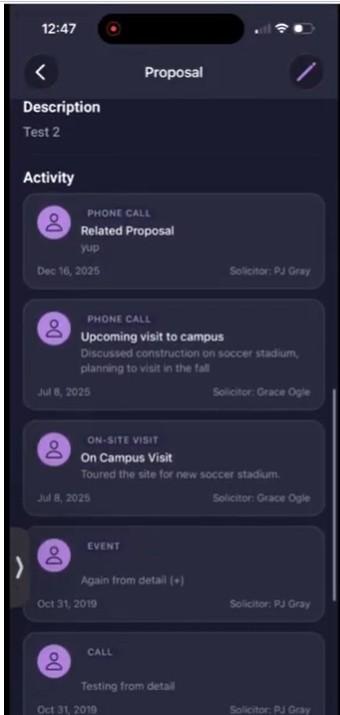
Description: Free-text notes on the proposal.
Activity: A feed of interactions linked to this proposal — each entry shows a type tag (Phone Call, On-Site Visit, Event, Call, etc.), a title, a description snippet, a date, and the solicitor's name.
Creating or Editing a Proposal
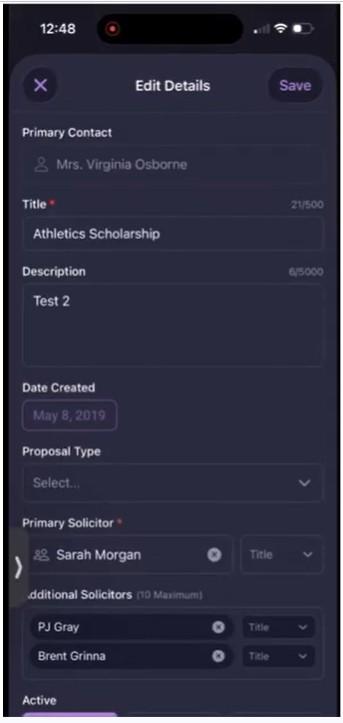
Tap + Add Proposal to create a new one, or the pencil icon on an existing proposal to edit it — both open the same Edit Details form. Fields, in order:
Primary Contact: The primary contact associated with the proposal.
Title (required): Up to 500 characters.
Description: Up to 5,000 characters.
Date Created: Date picker.
Proposal Type: Dropdown.
Primary Solicitor (required): One person, with a Title field.
Additional Solicitors (10 maximum): Each with its own Title field.
Active: Toggle.
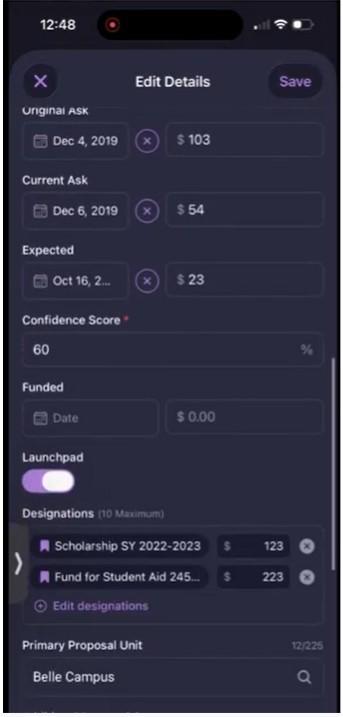
Original Ask: Date and dollar amount.
Current Ask: Date and dollar amount — a separate field from Original Ask and Expected, not a renamed version of either.
Expected: Date and dollar amount.
Confidence Score (required): Entered as a percentage.
Funded: Date and dollar amount.
Launchpad: Toggle.
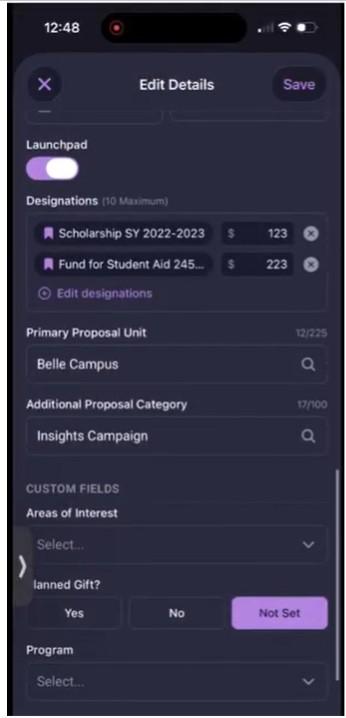
Designations (10 maximum): Each with its own dollar amount.
Primary Proposal Unit: Searchable field, up to 225 characters.
Additional Proposal Category: Searchable field, up to 100 characters.
Custom Fields: Org-specific — confirmed examples: Areas of Interest (dropdown), Planned Gift? (Yes / No / Not Set), Program (dropdown).
Contact EverTrue Support at genius@evertrue.com if you have any questions.
Content aside
- 1 mth agoLast active
- 19Views
-
1
Following