
Using the Enrichment Tab Drill-Down
With the new Drill-Down drill-down view, eligible customers can go beyond summary totals and explore the detailed records behind each signal.
Who Can Access Drill-Down Data?
Organizations with full DonorSearch access can open the drill-down modal and view the detailed underlying records.
If your organization does not have DonorSearch enabled, you will continue to see summary totals and counts—but drill-down access will not be available. To upgrade to full DonorSearch access, please contact your Customer Success Manager.
How the Drill-Down Works
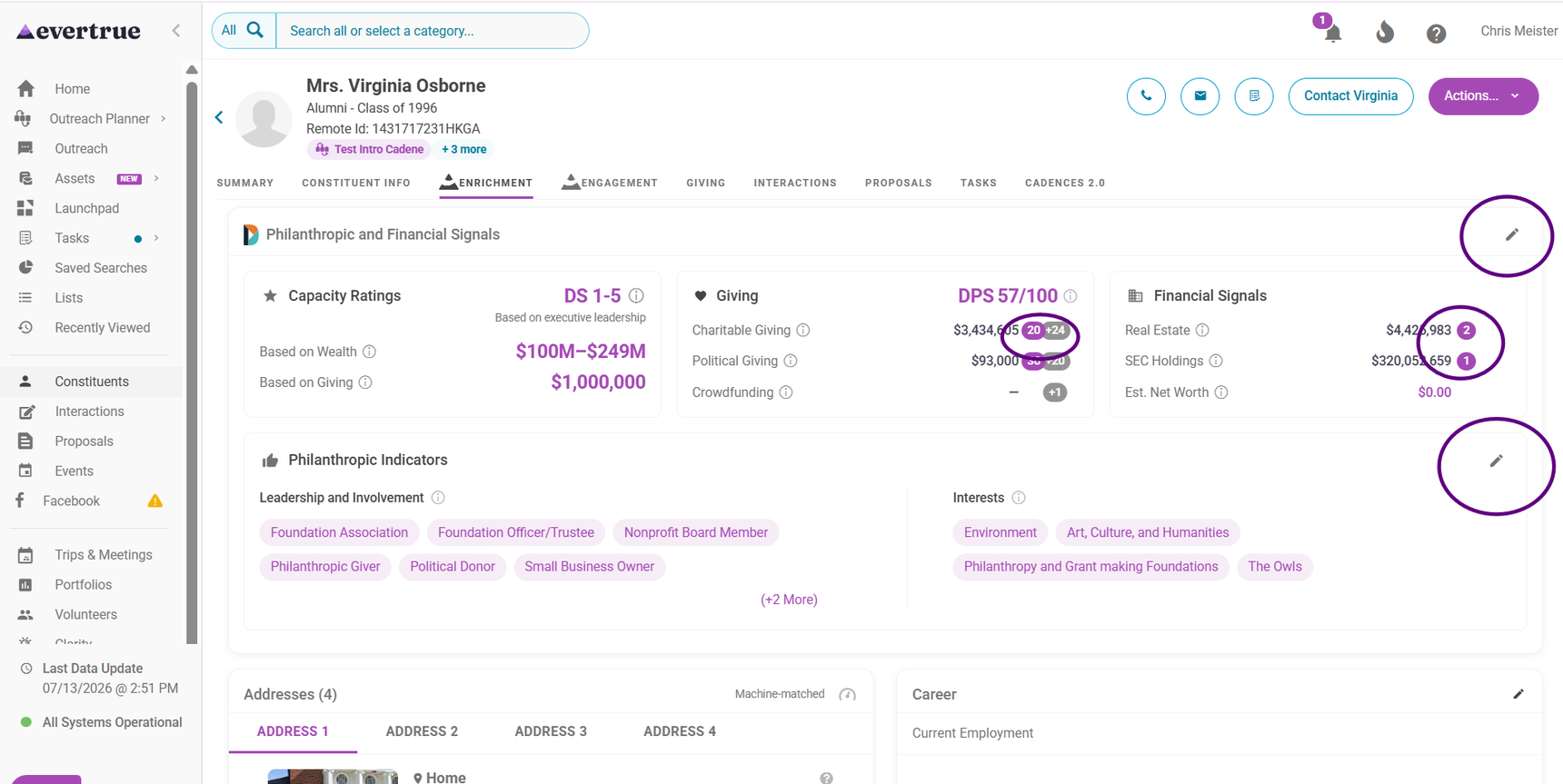
Click any, or use the pencil icon:
Summary value (e.g., $1,500,000)
High-confidence count (e.g., 5)
Low-confidence count (e.g., +11)
This opens a shared modal with tabs for each signal type.
as ,Default Behavior
When the modal opens:
The relevant tab (Charitable, Political, Crowdfunding, Real Estate, or SEC) is selected.
The High Confidence Matches section is expanded by default.
The Low Confidence Matches section is expanded if a Low Confidence count was clicked or if no High Confidence matches exist.
You can expand or collapse sections as needed.
What You'll See in Each Tab
Each tab displays records differently based on the signal type, while maintaining a consistent modal experience. You have sorting functionality, search functionality, and the ability to adjust the number of match results on each tab as well to easily sort through this information.
Charitable
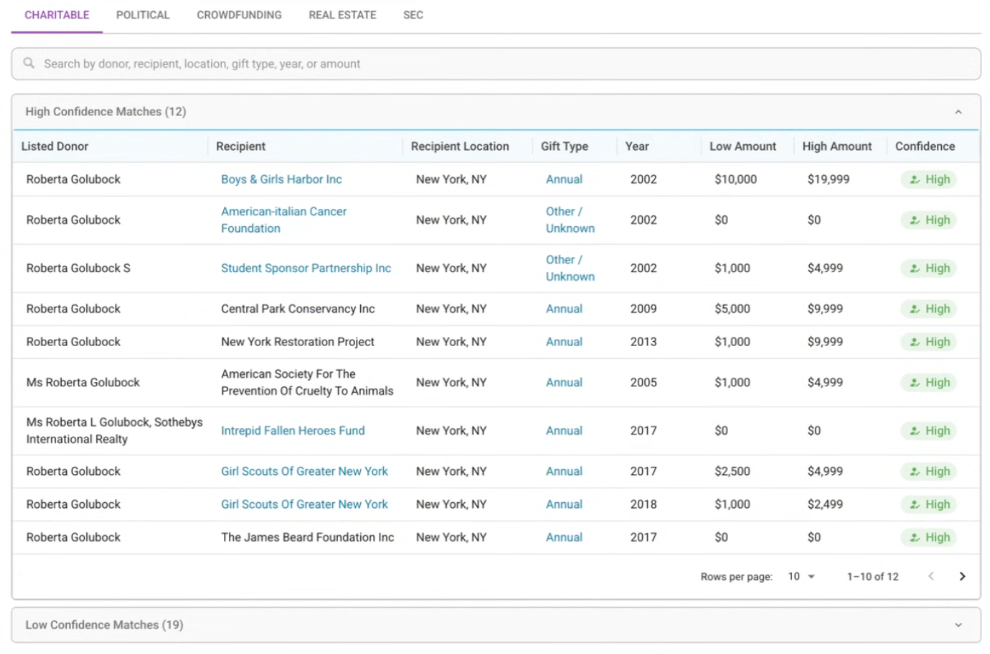
Displays high-and-low confidence matches in a table view that includes:
Listed Donor
Recipient
Recipient Location
Gift Type
Year
Low Amount
High Amount
Confidence
Additional details:
Annual and cumulative amounts link to the original source documentation (e.g., donor honor roll PDFs).
Political
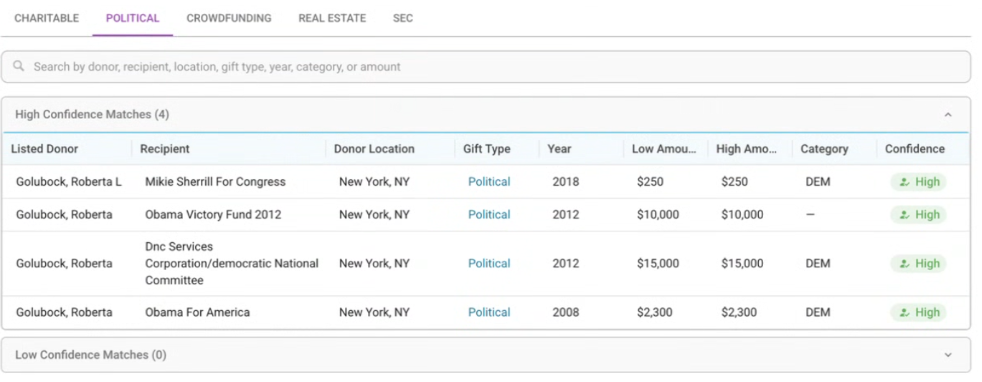
Displays political contributions tied to the constituent.
Includes a direct link to Federal Election Commission (FEC) source documents.
If no data exists:
“No enriched political data available for this constituent”
Crowdfunding
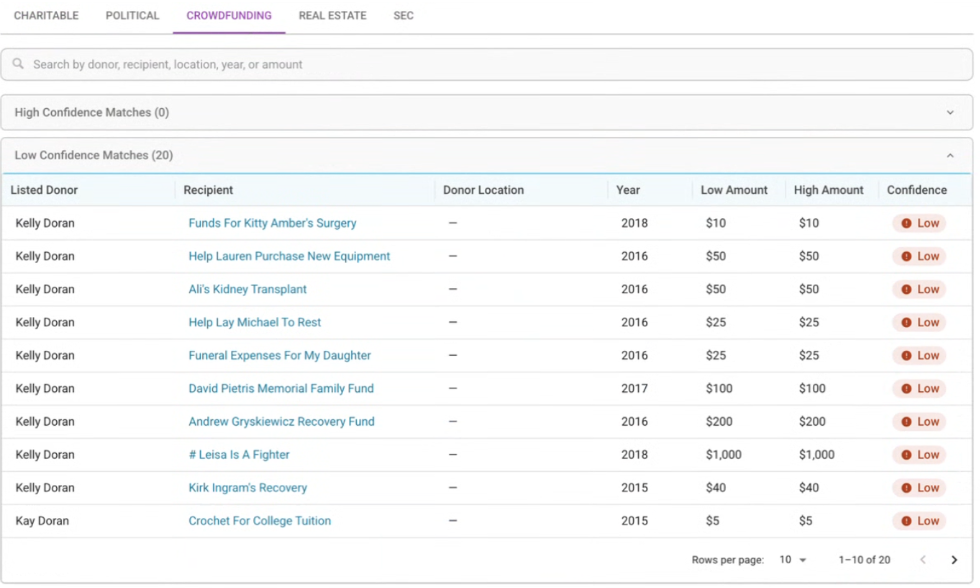
Displays crowdfunding-related giving activity.
The Recipient links directly to the original crowdfunding site (e.g., GoFundMe).
If no data exists:
“No enriched crowdfunding data available for this constituent”
Real Estate
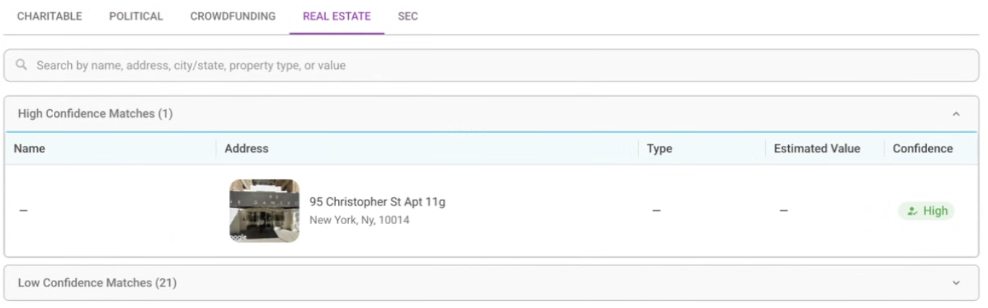
Displays relevant property holdings, including:
Name
Property image (street view or satellite)
Address
Property type
DonorSearch estimated value
Confidence level
If no data exists:
“No enriched real estate data available for this constituent”
SEC
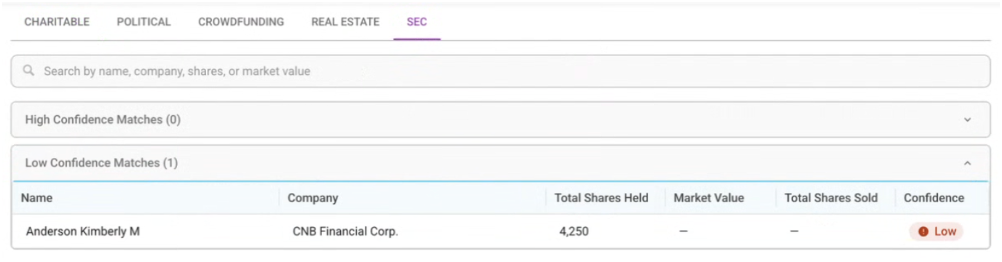
Displays publicly available SEC-related financial information, streamlined to show the most relevant data points from DonorSearch.
If no data exists, you’ll see the following message:
“No enriched SEC data available for this constituent”
If you have additional questions, please reach out to your Customer Success Manager or genius@evertrue.com.
Reply
Content aside
- 6 mths agoLast active
- 49Views
-
1
Following